Shopify App for Print-On-Demand Stores
Size guides for every
POD product.
One tag per product. Exact measurements in inches and centimeters. No code — works with any Shopify theme, live in under 2 minutes.
347+ print-on-demand blank productsAny Shopify themeNo code required7-day free trial
yourstore.myshopify.com/products/…
347+
Products covered
$8
Per month, all charts included
2min
From install to live on store
7day
Free trial, cancel anytime
The problem
Wrong sizes cost you reviews, refunds, and repeat buyers.
📦
They guessed the size.
Without real measurements, 'Large' means something different to everyone. Confident click, wrong fit, disappointed customer.
📧
The return is yours to handle.
POD returns aren't covered by your supplier. The refund, the replacement, the back-and-forth — all your time, all your margin.
⭐
The review is already live.
A frustrated customer doesn't wait. The one-star review about fit is online before you even open your inbox.
See it in action
From install to live — in under 2 minutes.
The fix
Exact measurements.
Right before they buy.
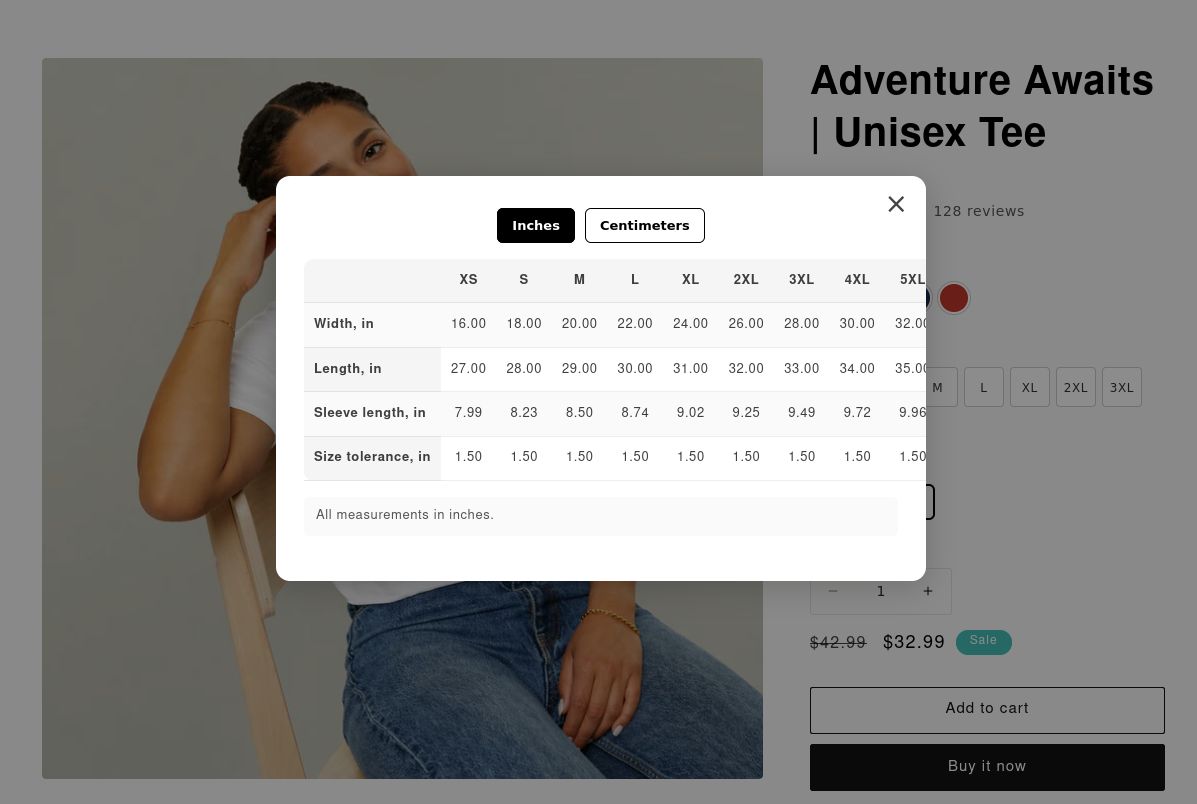
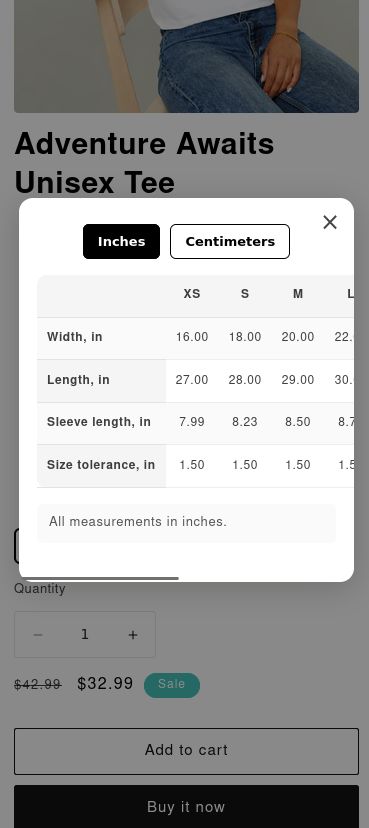
Customers click the size guide button and see a precise measurement table with an inches/centimeters toggle. They know their fit before checkout — not after opening the package.
Desktop
Mobile
How it works
3 steps. Under 2 minutes. Done forever.
No coding. No theme changes after step 1.
01
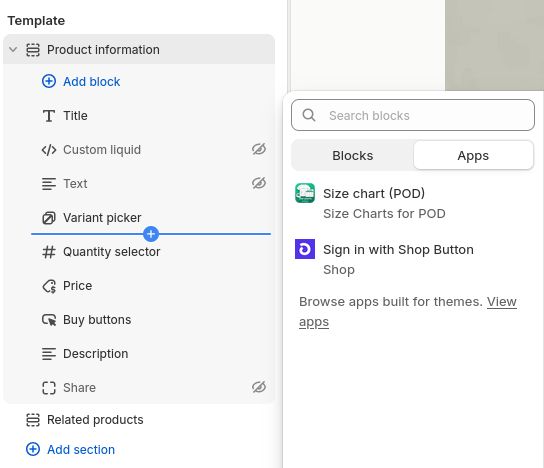
Add the app block to your theme.
Shopify Admin → Themes → Customize → open a product template → Add block → Size chart (POD) → Save. One step, covers every product forever.
ONE-TIME SETUP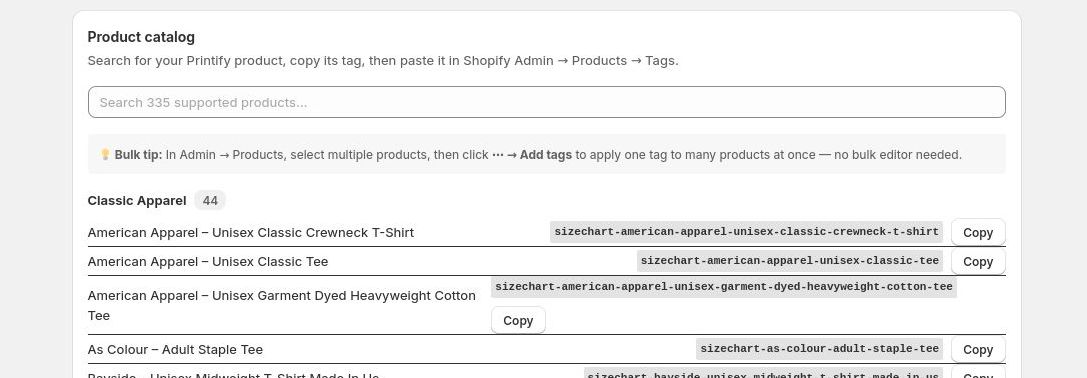
02
Copy your product's tag from the dashboard.
Open TagFit from your Shopify Apps. Search by product name — Gildan, Bella+Canvas, Next Level — and copy the tag with one click.
30 SECONDS PER PRODUCT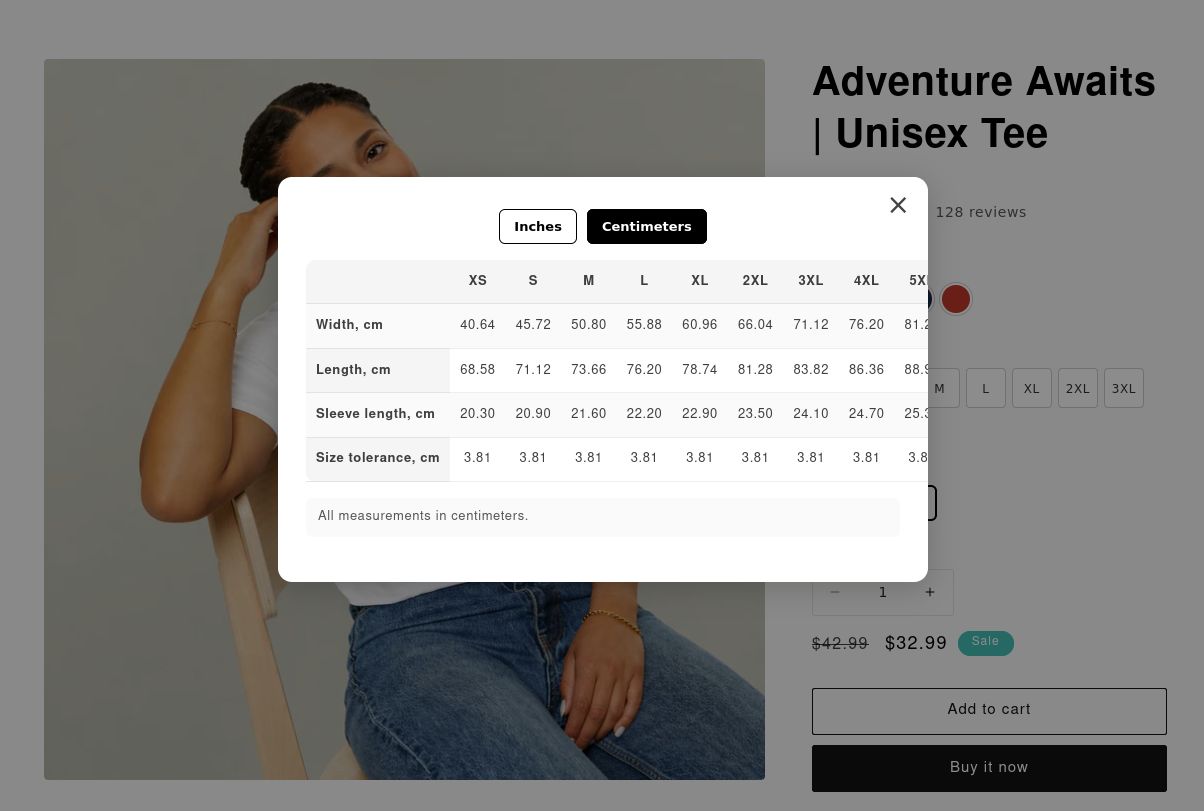
03
Paste the tag on your product. Done.
Shopify Admin → Products → open the product → Tags → paste → Save. The size guide appears instantly for every shopper, on every device.
LIVE IMMEDIATELYPricing
Simple pricing. Every chart included.
All 347+ size charts, unlimited products, free trial. No tiers, no add-ons.
✦ 7-Day Free Trial
$8
per month · cancel anytime
- ✓ All 347+ size charts of POD blanks
- ✓ Unlimited products in your store
- ✓ Inches & centimeters toggle
- ✓ Works with every Shopify theme
- ✓ Automatic updates as we add products
- ✓ Billed through Shopify — no separate account
Billed through Shopify — no separate account or credit card needed.
FAQ
Common questions
Do I need to edit my theme code?
No. Step 1 uses Shopify's visual theme editor — you click 'Add block' in the sidebar. After that, everything is just pasting a tag on your products.
What POD products are covered?
347+ products across apparel (Gildan, Bella+Canvas, Next Level, Hanes, etc.), bags, drinkware, home decor, and wall art. See the full list →
Does it work if I switch Shopify themes?
You'll need to re-add the app block in step 1 — that's a Shopify limitation. Your product tags carry over automatically.
What happens when new products are added?
New products appear in the TagFit dashboard automatically. Paste the tag on your product and the chart is live — no reinstalling anything.
Is TagFit affiliated with Printify?
No. TagFit is an independent tool by Digital Tools Studio. Size data is sourced from publicly available product specifications.
How do I cancel?
Uninstall the app from your Shopify Apps list at any time. Billing stops immediately — no forms, no emails.
Stop the wrong-size return.
Set up TagFit in 2 minutes.
Try it free for 7 days. Cancel anytime.